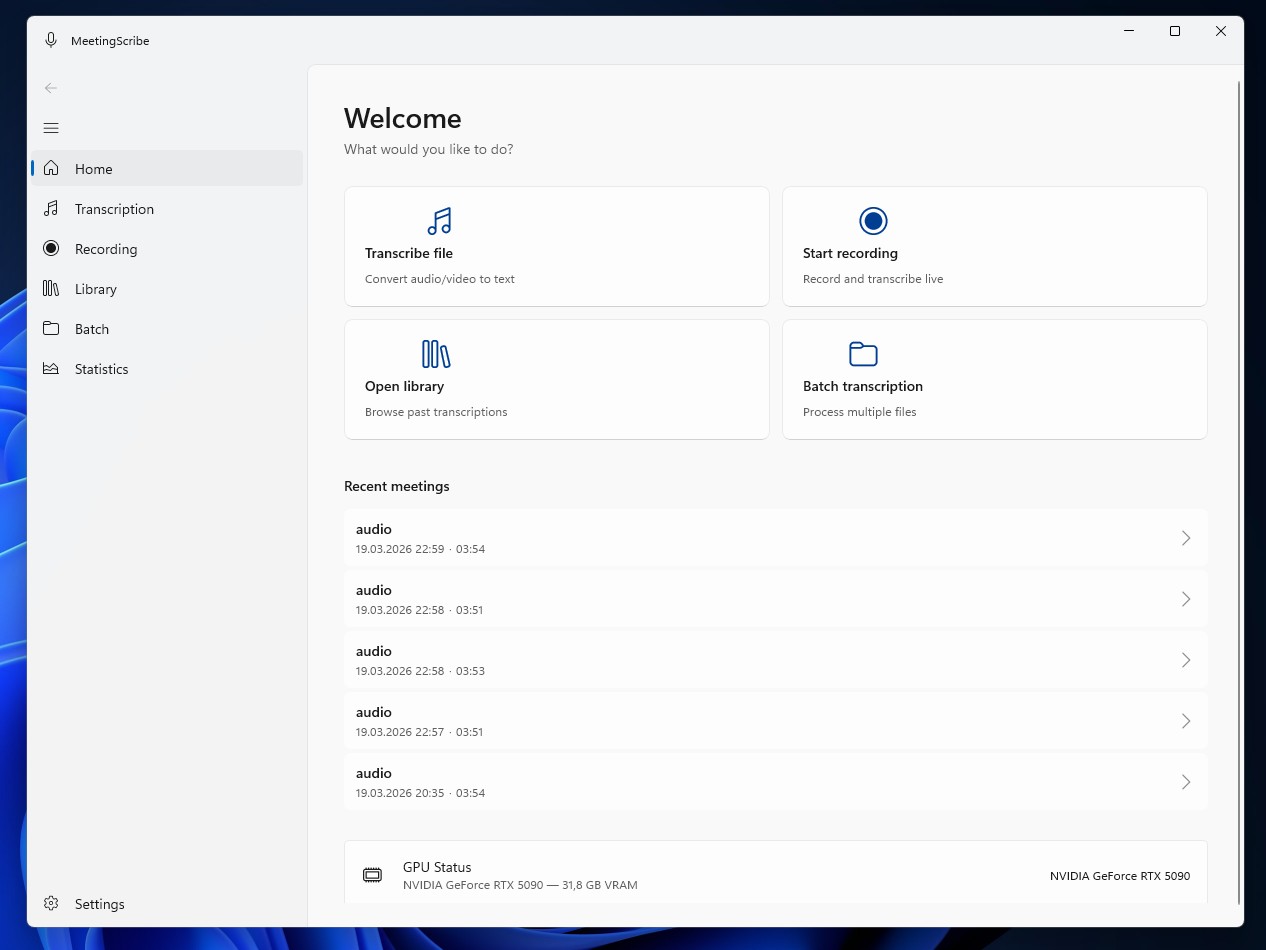
For team meetings, interviews and workshops

Meeting recorded. Transcript on your PC — no cloud.

MeetingScribe transcribes audio and video files locally on your Windows PC. No cloud, no external transmission, no telemetry. Import the recording from your meeting tool — the transcript stays on your PC.

Data never leaves your PC No telemetry Windows 10/11, one-time 149 €
MeetingScribe Windows app

Before / After — a 60-minute meeting

Data goes to the cloud
1 Meeting 60 min, 5 participants
2 Notes from memory Details missing
3 Cloud transcription Audio leaves your PC
4 Monthly subscription $16–29 per user
Everything stays local
1 Meeting 60 min, 5 participants
2 Import recording MP3, MP4, WAV, M4A …
3 Auto-transcription locally on your PC
4 Export DOCX, PDF, TXT, SRT, VTT

Typical scenario: Record the meeting in Teams, Zoom, or Google Meet, download the recording file locally, and import it into MeetingScribe. Transcription starts after import on your PC — no upload, no external service.
Why cloud meeting tools aren't always the clean solution

Cloud transcription services work — but they require meeting audio to be uploaded to third-party servers. For confidential conversations, that's often not acceptable.

Cloud Transcription Services

  • Meeting audio is transmitted to third parties
  • Monthly subscription per user, adds up over years
  • Internet connection required during processing
  • Data processing agreement (DPA) required, often outside the EU
  • Data stored in third-party accounts — vendor lock-in
  • Analytics and telemetry often without opt-out

MeetingScribe (local processing)

  • Audio and transcript stay on your PC
  • One-time 149 € — no recurring costs, no subscription
  • Works completely offline during processing
  • No DPA needed: you are the sole data controller
  • Export in open formats (DOCX, PDF, TXT, SRT, VTT)
  • No analytics, no crash uploader, no auto-update check

From recording to transcript — in 4 steps

One-time setup. After that, every meeting follows the same path.

1

Import recording

Open an audio or video file. Supported: MP3, WAV, M4A, FLAC, OGG, WMA — as well as MP4, MKV, AVI, WEBM. Alternatively: record via microphone directly in the app.

2

Select model

MeetingScribe automatically selects the Whisper model based on available GPU memory. Without an NVIDIA GPU, the app runs on CPU — slower, but it works.

3

Start transcription

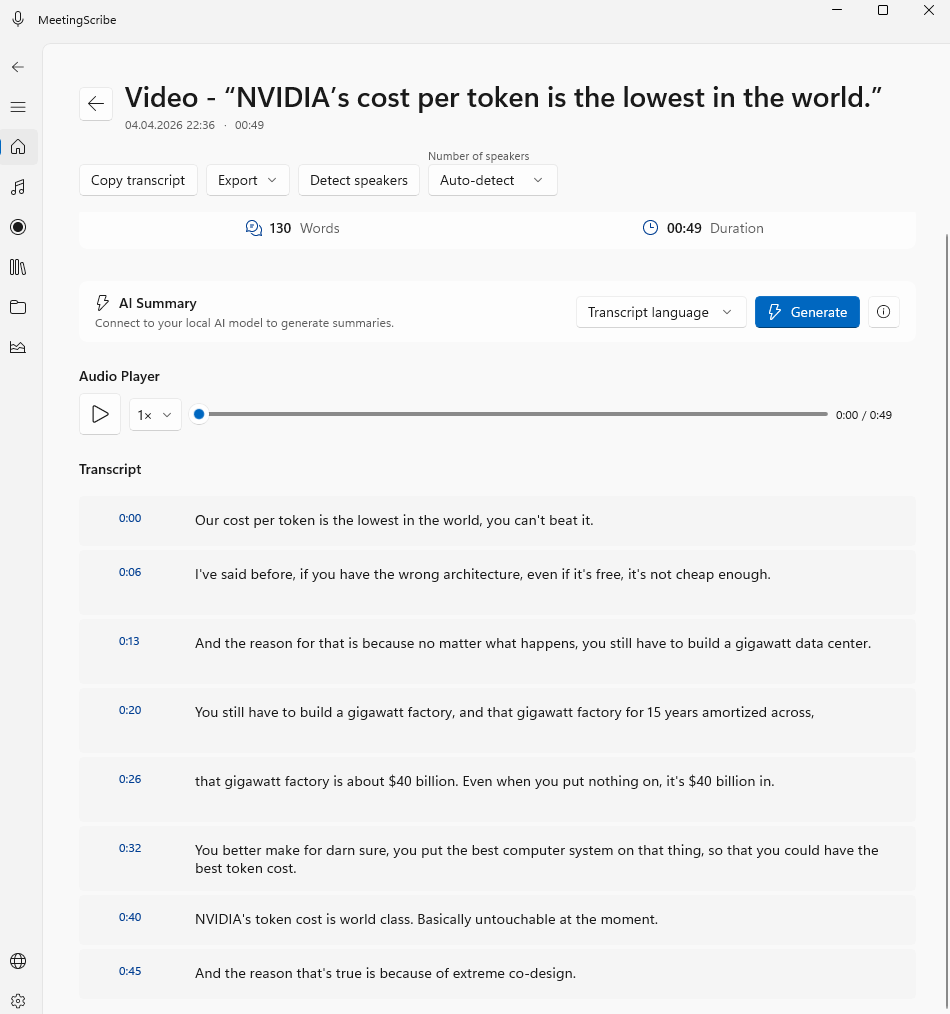
Whisper runs locally on your machine. The transcript appears in the app with timestamps per segment. Language is detected automatically or selected manually.

4

Review and export

Correct technical terms or names directly in the app. Export as DOCX, PDF, TXT, SRT, or VTT — with or without timestamps.

What MeetingScribe is made for

Wherever conversation content needs to be documented and cloud upload is not an option.

Project & Team

Meeting documentation

Stand-ups, status meetings, retrospectives. Import the recording from your meeting tool (Teams, Zoom, Meet) after the call, transcribe, and file as minutes.

Project teams
HR & Research

Transcribe interviews

Job interviews, qualitative research interviews, journalist research. Confidential conversations stay in-house, no cloud data leak risk.

HR · Research · Editorial
Training & Podcast

Workshops and presentations

Training sessions, internal webinars, podcast episodes. Audio/video becomes text — for archives, subtitles (SRT/VTT), or blog post preparation.

Podcast · E-Learning

Hardware requirements

MeetingScribe automatically selects the Whisper model based on your available GPU memory (VRAM). Without a GPU, the app runs on CPU — significantly slower.

GPU Memory (VRAM)
Model
Note
≥ 6 GB VRAM
large-v3-turbo
Highest quality — recommended
4–6 GB VRAM
medium
Very good quality
2–4 GB VRAM
small
Solid quality
Without NVIDIA GPU
CPU fallback
Works, significantly slower

What you get

No telemetry

No analytics, no crash uploader, no usage statistics are sent. Debug log stays local.

Confidentiality preserved

Audio and transcript stay on your PC. No sharing with third parties, no data processing agreement needed.

GDPR-compliant

Local processing, no third-party transmission. You are the sole data controller under Art. 4 GDPR.

Works offline

Transcription works without internet. No network access during processing.

No forced auto-updates

You decide when to update. No forced updates, no background check on app start.

Tax-deductible

Austrian invoice with VAT. Immediately deductible as a low-value asset (GWG) business expense.

One price. Unlimited transcriptions.

Pay once, use forever. All future updates included.

MeetingScribe

149 €

Incl. VAT · All future updates included · Usable on 2 devices

  • Unlimited transcriptions, unlimited audio length
  • Whisper large-v3-turbo on your PC (1.6 GB model)
  • 30 transcription languages plus auto-detection
  • NVIDIA GPU acceleration (CUDA) or CPU fallback
  • Export: DOCX, PDF, TXT, SRT, VTT (with or without timestamps)
  • Usable on 2 devices (e.g. office + laptop)
  • 7-day free trial, no credit card required
Buy now — 149 €

Try first, then buy. No registration required.

Frequently Asked Questions

Only in three cases: (1) one-time Whisper model download on first launch, (2) license key validation against meetingscribe.gorec.io, (3) optional AI summary if you enable it. During transcription itself: zero network traffic. No analytics, no crash reporter, no auto-update check.
Windows 10 (Build 19041) or Windows 11, 64-bit. NVIDIA GPU with 6 GB+ VRAM recommended for fastest transcription. Without a GPU, the app runs on CPU — significantly slower, but it works. Actual speed depends on GPU, model, and audio quality — test during the 7-day free trial on your device.
Microphone recording is available directly in the app. Transcription runs after stopping the recording, not in parallel — MeetingScribe has no live transcription. For Zoom, Teams, or Meet calls, the typical workflow is: use the recording function of the respective tool and then import the resulting audio/video file into MeetingScribe. System audio recording (loopback) is currently not implemented.
30 transcription languages are available, plus auto-detection. German, English, French, Spanish, Italian, Dutch, Polish, Russian, Turkish, Japanese, Chinese, Korean, and more. The app UI itself is trilingual: German, English, Russian.
Audio: MP3, WAV, M4A, FLAC, OGG, WMA. Video: MP4, MKV, AVI, WEBM. Meeting recordings from Teams, Zoom, and Google Meet are usually MP4 or M4A — MeetingScribe opens these directly.
7 days, no credit card, no registration. Up to 5 min audio per transcription, 5 meetings storable in the library. Enough to test quality and speed on your hardware. Need more time? contact@gorec.io.
Installation takes about 10 minutes (one-time model download on first launch). Invoice with Austrian VAT. 149 € net = low-value asset, immediately deductible as a business expense.

Your next meeting without the paperwork.

7-day free trial. No credit card, no obligation.